

SFS Store - Signing in with HAKA
By logging in to SFS Store with your personal Haka credentials, you gain access to your educational institution’s licensed standards directly in your browser. This page provides clear guidance on logging in, searching for and using standards, as well as key information on access rights, copyright, and essential features such as the “My products” view.

On this page:
Logging in
You can log in to SFS Store with your personal Haka credentials.
Go to https://storeidentity.sfs.fi/Account/Login to log in.
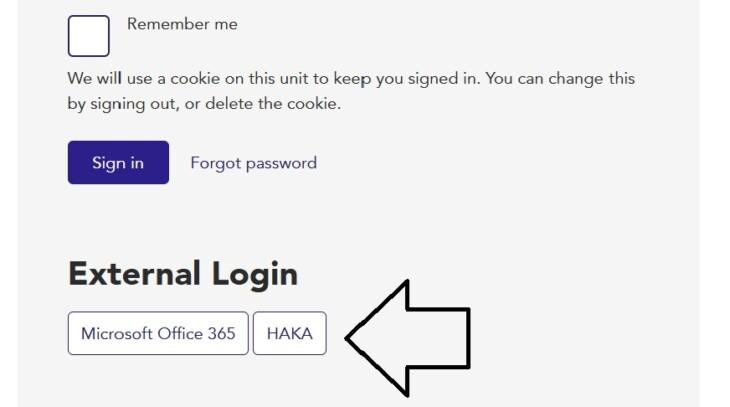
Choose english (if you wish( from the main navigation panel and select your educational institution in the drop-down list.
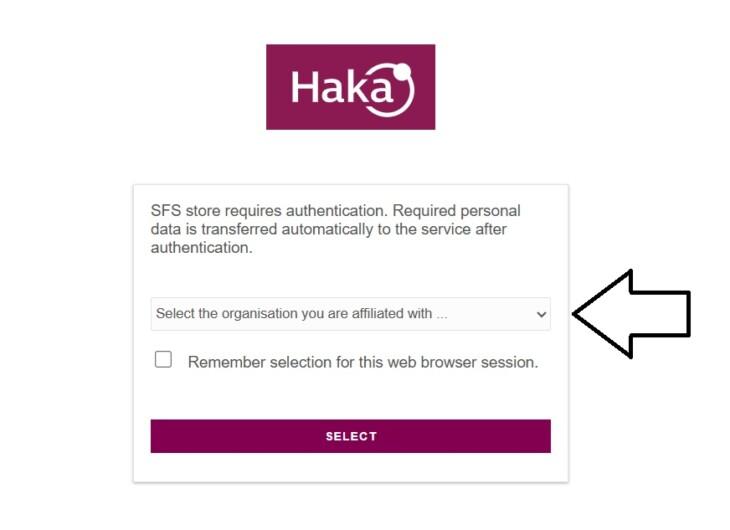
You can get a direct login link from your educational institution’s library services (if your institution uses one).
Having trouble logging in?
The primary contact is your educational institution’s library services. If the session is interrupted and you are redirected to the logout page, log in again using the same login method. The Haka credentials cannot be used in SFS Store’s corporate user login view.
Remote use and access rights
Standards are subject to specific access rights and can be read in a browser.
Copyright
Standards are protected by copyright. Students may use standards in their theses. We recommend recreating the figure or table you need from the standard and citing the standard (the full reference number, title and year of publication). You can also quote short excerpts of the standard content. For more information, go to sfs.fi or contact your educational institution.
My products
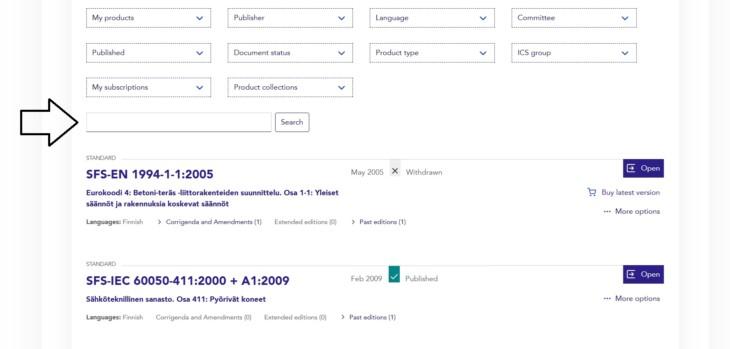
When you log in to SFS Store, you can access the “My products” view by clicking your name. Under “My products”, you can use a search function that includes only the standards that your organisation has access to. The global search at the top of the page includes all standards, some of which are not included within the scope of your educational institution’s licence.
You can check your educational institution’s contact details also in your customer information. You can also contact your educational institution’s library services for more information.
Selection of standards
The selection of standards includes SFS standards (in Finnish and English) as well as electrotechnical SFS standards (in Finnish), depending on the subject fields selected by your educational institution. The selection may also include individual ISO or IEC standards and electrotechnical SFS standards in English.
To check the availability of standards, contact your educational institution’s library services.
Using standards in the service
Search
You can search for standards in SFS Store using the standard reference number (e.g. SFS‑EN 1991‑1‑5) or based on standard titles and contents. The search function recognises both exact and partial reference numbers. For this reason, the search results may not be limited to the exact standard you searched for. Omitting the prefixes of the reference number (e.g. SFS, EN, ISO) will expand the search and yield more results. If you wish to search using a standard reference number, select the option “Standard reference” under the search field.
If you are searching for standards related to a certain subject (e.g. concrete, eurocode, prestandard), the search function looks up metadata both in Finnish and in English. This yields good search results on standards related to the subject, with the key publications usually displayed at the top of the list. If you are performing a word-based search, select the option “Full text search” under the search field.
Very short or generic search terms (e.g. a21a) may yield a large number of search results. You can filter the results based on publisher, language, committee, date of publication, document status, product type or ICS group. To access the filter options, click the “Search” button.
Using publications
When logged in, you can find the standards you have access to under your username and “My products”.
With the search function, you can search for standards by name, publisher or language, for instance.
A product can be opened by clicking the “Open” button if the product is included in your educational institution’s standard subscription.
Logging out of the service
Log out of SFS Store (top right corner: your name/profile > “Log out”). Logging out is important, as it releases your access licence for the next user. If the session is interrupted and you are redirected to the logout page, log in again using the same login method (Haka).